 Talk to a Sage Intacct Expert
Design starts with the operating model
Nonprofit & Social Services
Grant and program reporting
Construction
Keep every job’s economics connected, from estimate to final billing.
Construction finance lives at the job: budgets, commitments, change orders, progress billing, retainage and WIP. When the structure is right, finance, project managers and executives read the same numbers. When it is not, month-end becomes a reconciliation exercise.
Start with the kind of contractor you are.
Discovery begins with the organization type, because it changes the job structure, the billing, the payroll questions and the reports that matter.
General contractor
Subcontract commitments, owner billing, retainage in both directions and change orders flowing in from owners and out to subcontractors.
Specialty contractor
Labour-heavy jobs, payroll questions such as unions and varying rates, equipment costing and progress billing to general contractors.
Heavy civil
Large equipment fleets, unit-price contracts, installed quantities and long jobs where the forecast matters most.
Developer
Projects that become owned assets or sold units, often an entity per project, with lender and investor reporting.
Homebuilder
Many similar jobs by lot or unit, option selections, and cost held until each home is sold.
Service contractor
Short service calls and maintenance agreements beside projects, with dispatch and field service systems feeding finance.
Mixed construction and service
Both models in one organization: job costing for projects, work orders for service, sharing people and equipment.
Change, Commitment, Cost, Billing, WIP, Forecast
One change order, followed through the job.
Step through Change, Commitment, Cost, Billing, WIP and Forecast. Each step updates the same job, so you can see which figures move and why.
Midway through an illustrative job: half complete on a cost-to-cost basis, and slightly overbilled.
What the design must decide
This is the starting point. Every later figure moves from here.
The owner approves a change order. Contract value rises by 80,000 and the cost budget by 60,000.
What the design must decide
Where approved and pending changes live, and when each enters contract value and budget.
A subcontract change order commits 55,000 of the new budget.
What the design must decide
Which system issues commitments and subcontract changes, and how they reach Sage Intacct.
95,000 of new cost is incurred, including the change work.
What the design must decide
Cost codes that match the estimate and the project system, so cost lands where it was budgeted.
A progress billing adds 60,000. The owner holds 10 percent as retainage.
What the design must decide
The billing method, the retainage terms and who prepares and approves each billing.
The WIP review recognizes earned revenue. The job is now underbilled: more has been earned than billed.
What the design must decide
The percent-complete method, who reviews WIP, and how over and underbilling are recorded.
The project manager raises cost to complete by 20,000. Forecast margin fades from 170,000 to 150,000.
What the design must decide
Who owns the estimate at completion, how often it is reviewed, and how fade is reported.
| Job measure | Value at this step |
|---|---|
| Contract value | 1,000,000 |
| Estimated cost at completion | 850,000 |
| Committed cost | 600,000 |
| Cost to date | 425,000 |
| Percent complete | 50.0% |
| Earned revenue | 500,000 |
| Billed to date | 540,000 |
| Over or (under) billing | 40,000 over |
| Retainage receivable | 54,000 |
| Forecast margin | 150,000 |
| Backlog (contract not yet earned) | 500,000 |
The estimate, the project and the ledger must speak one language.
Job, phase, cost code and cost type are the spine of construction reporting. If the estimate, the project management structure and the accounting cost codes do not align, integration becomes complex and job reports become hard to reconcile.
Estimate
- Assemblies and items
- Quantities
- Unit costs
Project system
- Job and phase
- Budget lines
- Commitments and changes
Sage Intacct
- Job and phase
- Cost code and cost type
- Budget, actual and committed
Cost types to agree
- Labour
- Materials
- Equipment
- Subcontract
- Other direct cost
Original budget
The estimate as awarded, kept unchanged for comparison.
Approved revisions
Changes that moved budget with a recorded approval.
Pending changes
Exposure that is known but not yet approved, reported separately so it is never lost or double counted.
Contracts decide how revenue is earned and billed.
One agreed price for defined work. Revenue is earned as the job progresses, so the estimate at completion drives margin.
Design
Percent-complete method, change order discipline and forecast reviews.
Billed on hours and materials used, at agreed rates and markups.
Design
Rate tables, billable versus non-billable cost, and caps where they apply.
Cost is reimbursed plus a fee or percentage, subject to what the contract allows.
Design
Which costs are reimbursable, the fee basis, and the evidence the owner will audit.
Paid for measured quantities of work, such as metres of pipe or cubic metres of fill.
Design
Quantity tracking from the field, and how quantities reconcile to billing.
Progress billing, including AIA-style schedules of values, bills against work completed. Unapproved change exposure should be visible beside it.
Retainage, in both directions
- Retainage receivable
- Held back by the owner from your billings, released at agreed milestones or completion.
- Retainage payable
- Held back by you from subcontractor invoices, released under the subcontract terms.
Sage Intacct Construction includes construction retainage capabilities and New Construction Billing. Availability may vary by capability, subscription, configuration and market. Biviti confirms current availability during solution design.
WIP, explained in four lines.
The work-in-progress schedule compares what has been earned with what has been billed. Finance, project managers and executives need to agree how each line is calculated, who owns the estimates, and how often it is reviewed.
- Percent complete=Cost to date ÷ Estimated cost at completion
- Earned revenue=Percent complete × Contract value
- Over or underbilling=Billed to date − Earned revenue
- Profit fade=Change in forecast margin between reviews
Overbilling
Billed ahead of the work. A liability: cash has arrived for work not yet performed.
Underbilling
Work performed but not yet billed. An asset, and often an early sign of cash pressure or an optimistic estimate.
Cost to complete
The project manager’s estimate of remaining cost. It drives everything above, so it needs an owner and a review cadence.
Projected losses
Agree with your accountants how a projected loss is recognized, and make sure the WIP review surfaces it early.
Backlog
Contract value not yet earned. With margin, it is the forward view executives and lenders ask for.
Project profitability
Margin by job, by project manager and by contract type, against the original estimate.
Sage Intacct in this operating model
A project lifecycle Sage Intacct can carry, with WIP at the centre.
Sage Intacct project accounting and Sage Intacct Construction manage jobs, cost codes, commitments, billing and retainage, and give the WIP review and forecasts the job data they depend on. Field and payroll systems connect wherever the work is captured. Biviti validates each specialized requirement against current availability.
How the solution fits together
- Configurable sequence
- Foundation, used throughout
- Cross-cutting capability
- Integration boundary
- Reporting and insight
Reporting and insight
Integrations can connect here, and at any point
Project lifecycle
- 01Estimate or contract
- 02Job, cost codes and budget setup
- 03Commitments, subcontracts and purchasing
- 04Labour, material, equipment and other cost
- 05Change orders
- 06Billing and retainage
- 07WIP, revenue recognition, over and underbilling
- 08Forecast: EAC and cost to complete
- 09Project and portfolio reporting
Branches and loopsChange orders loop back to budget and commitments; forecasts revise WIP every review.
Foundation, configured once and used throughout
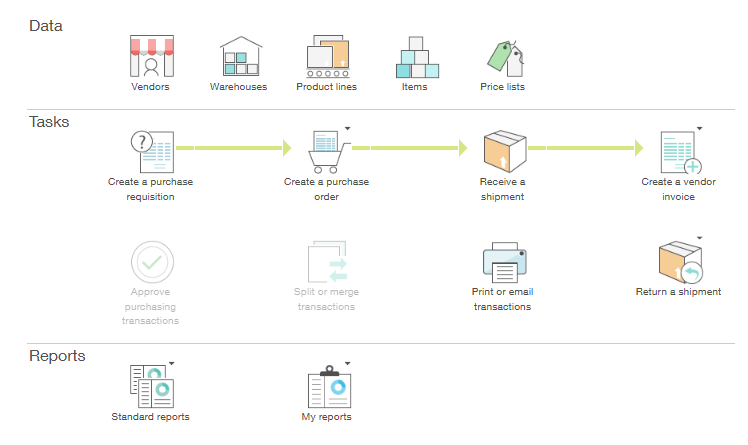
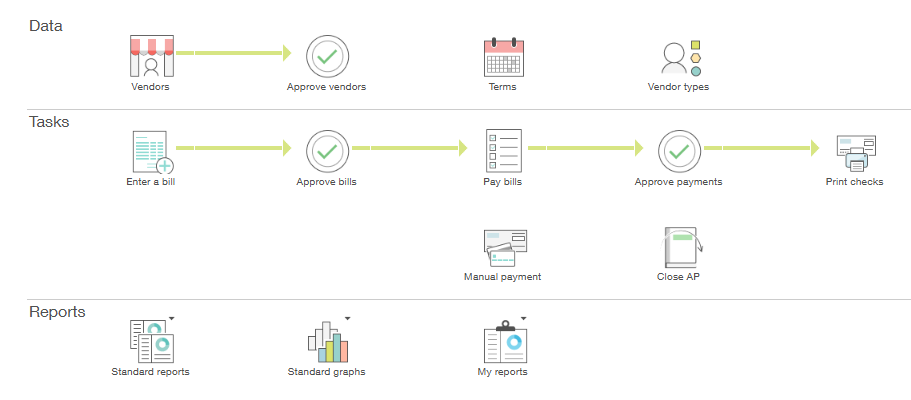
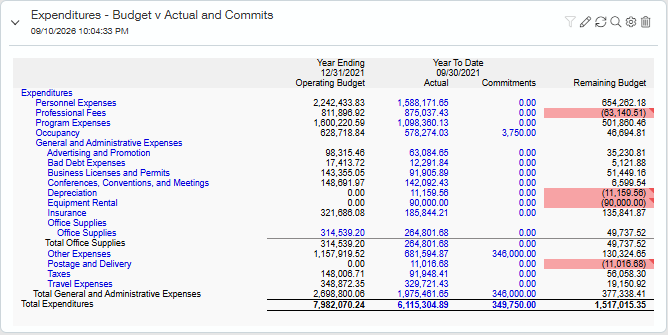
Actual Sage Intacct interface. Demo data shown. It can be customized for your organization.
- Project accounting and job costJobs, phases, cost codes and cost types with budgets, revisions and change orders.
- Purchasing and commitmentsPurchase orders and subcontracts tracked as committed cost.
- Billing and retainageProgress billing and retainage, with construction retainage capabilities and New Construction Billing in Sage Intacct Construction.
- WIP and revenue recognitionEarned revenue, over and underbilling and estimate at completion, reviewed on a set cadence.
- AP AutomationSubcontractor and supplier invoices captured and approved by the project team.
- Dimensions, dashboards and integrationsProject and portfolio dashboards; field, estimating and payroll systems connected through integrations.
How Biviti configures it
We align estimate, project system and accounting cost codes first, decide which system owns each record, configure commitments and billing, and agree the WIP method, then connect field, payroll and equipment data where each is captured.
Explore Sage IntacctField to finance: decide who owns what.
Field and project platforms, such as Procore, estimating, time capture and service systems, capture the work where it happens. Sage Intacct controls the financial workflow, applies the job and cost code structure, automates approvals and close where appropriate, reconciles each feed and turns it into job cost and WIP reporting. Integration moves data. It does not decide ownership, so each record needs one system of record, agreed before anything is connected.
| Record | Why it matters | Decision |
|---|---|---|
| Vendor | Often created in finance and shared outward. | Agree the owner |
| Job | Set up once, in one system, then shared. | Agree the owner |
| Cost code | Must match the estimate and the project structure. | Agree the owner |
| Commitment | Frequently issued from the project system. | Agree the owner |
| Change order | Needs one status everyone trusts: pending, approved or rejected. | Agree the owner |
| Invoice | Approved by the project team, posted by finance. | Agree the owner |
| Payment status | Paid from finance, visible to project managers. | Agree the owner |
Payroll architecture
Construction payroll can involve unions, certified payroll, prevailing or varying rates and labour allocated to jobs and cost codes. Biviti validates the payroll architecture for each requirement, including which system calculates pay and how labour cost reaches the job, rather than assuming every scenario is handled natively.
Open jobs are not closed history.
Migrating an active job is a design decision, not a data load. Every open job needs agreed figures at the cutover date, reconciled before go-live.
- Original contract value
- Approved changes and revised contract
- Pending changes and their exposure
- Current budget by cost code
- Actual cost to date
- Open commitments and remaining amounts
- Billed to date and retainage held
- WIP position at the cutover date
- How much transaction history to bring, and in what detail
- Do your estimate, project system and accounting cost codes follow the same structure?
- Who owns cost to complete, and how often is it reviewed with finance?
- Which system issues commitments and change orders today?
- How are retainage receivable and payable tracked and released?
- Which payroll scenarios apply: unions, certified payroll, multiple rates, job allocation?
- How many jobs will be open at cutover, and what figures must convert for each?
Check the job structure before you build on it.
Check your implementation readiness, take the fit assessment, or talk to a Sage Intacct specialist about your jobs.